
In today’s digital-first environment, document conversion is a critical infrastructure requirement for file compatibility with current systems and automation tools. Converting physical documents transforms them into machine-readable and searchable digital formats that are easy to share. A document conversion company plays a crucial role in helping businesses transform physical or digital files into accessible, secure, and standardized digital file formats, ensuring efficiency, compliance, and long-term data preservation. This guide to document conversion outlines the best practices for optimizing your conversion process and ensuring that your documents are both accessible and secure.
What is Document Conversion?
Document conversion is the process of transforming a document or file from one format to another. It is used to ensure that files are compatible with different software, platforms, or devices, and to improve their accessibility and searchability.
Key Types of File Conversion
- Format-to-Format: Changing one digital file type to another, such as converting a Microsoft Word (.docx) file to a PDF or an Excel (.xlsx) sheet to a CSV.
- Digitization: Transforming physical paper documents into digital formats like PDF or searchable text using scanners and specialized software.
- OCR (Optical Character Recognition): This technology converts scanned images of text or “flat” PDFs into editable and searchable digital content.
- Archival Conversion: Converting documents into standardized formats like PDF to ensure they remain readable in the long term.
Key Benefits
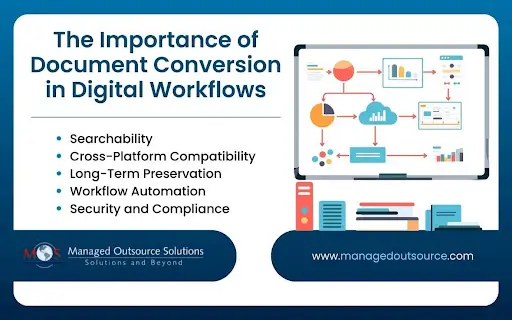
There are many reasons why document conversion is foundational for modern digital workflows:
- Searchability: Digital file conversion makes it possible to search thousands of files instantly for specific information. OCR conversion tools turn images into searchable text. This allows employees to find specific clauses or figures in seconds rather than manually reading through hundreds of pages. Modern workflows use AI to convert documents directly into structured data formats (like JSON or CSV). This allows systems to automatically pull “Total Due” from an invoice and feed it directly into accounting software without human data entry.
- Cross-Platform Compatibility: Format incompatibility can stall projects in the world of remote work and diverse tech stacks. Conversion ensures that a file can be viewed in a universal format like a PDF or HTML5 web page. Converting documents to responsive formats ensures workers can review documents on their mobile devices, anywhere and at any time.
- Long-Term Preservation: Document conversion is essential for digital preservation. Organizations now convert active documents into PDF/A (an ISO-standardized version of PDF), which is specifically designed for long-term archiving. It ensures the document will look and behave exactly the same way 50 years from now, regardless of what software is used to open it.
- Workflow Automation: Robotic process automation and AI are the engine of modern workflows, but need documents in specific formats to work. Whether it’s a Word doc, a TIFF scan, or an email, all incoming files must be converted into a standardized format that the automation logic can process. Digitized documents can be read on different software platforms, promoting collaboration between different enterprise systems.
- Security and Compliance: Conversion to specific formats is essential to meet compliance with regulatory standards and secure archiving with encryption in industries such as healthcare and legal. Digital conversion allows for the creation of audit trails. When a document is converted and moved, the system records the “who, when, and where,” which is vital for GDPR, HIPAA, and other regulatory frameworks.
Leveraging professional document conversion services for large volume file processing can ensure data integrity so that no information is lost or misinterpreted during the process.
Common Document Formats and Why Conversion is Needed
When dealing with document conversion, it’s important to understand the most widely used file types. Each format serves a unique purpose, and knowing their strengths and limitations helps you choose the right conversion method.
- PDF (Portable Document Format)
PDF is a secure format that preserves layout, fonts, and graphics across devices, making it universally accepted for sharing and archiving. However, editing can be difficult without specialized tools.
Converting to Word allows for editing, updating, or easily sharing a document that’s currently a locked PDF.
- Word Documents (.doc / .docx)
Word offers flexible text editing and formatting, making it ideal for content creation, modification, and collaboration. One limitation is that document formatting may get affected when it is shared across platforms.
Converting contracts, invoices, or reports in Word format to secure PDF format before distribution preserves the original structure and ensures the document appears consistent across all devices and operating systems.
- Excel Spreadsheets (.xls / .xlsx)
Excel supports data organization, calculations, and analytics, making it a powerful tool for managing financial, statistical, and tabular data. However, conversion can be tricky as complex formulas may not transfer cleanly to other formats.
Exporting Excel sheets into CSV or PDF for reporting provides versatility. CSV is the preferred “work format” for data movement, while PDF is the “share format” for finalized presentation.
- PowerPoint Presentations (.ppt / .pptx)
PPT enables visual communication through slides. With rich multimedia support, it is widely used in business and education. Limitations include large file sizes and formatting issues when opened on different systems.
Converting PowerPoint to PDF is considered a best practice for finalizing and securing your message for audience distribution. While PowerPoint is optimized for live storytelling with animations and transitions, PDF is the superior format for static professional distribution
- Images (JPEG, PNG, TIFF)
Image formats such as JPEG, PNG, TIFF enable visual representation of information. JPEG (lossy), PNG (lossless), and TIFF (lossless) are key image formats, differing mainly in compression (lossy vs. lossless), file size, and intended use. JPEG is best for photos due to compression, PNG for graphics needing quality/transparency, and TIFF for maximum print quality and high-resolution archiving
Images are not inherently searchable or editable, converting them to PDF or using OCR is essential to extract text.
- Scanned Files
Scanned or digital copies of physical documents preserve the original look and authenticity. However, scanned files are typically stored as images, making text unsearchable without OCR.
Applying OCR to scanned files to create editable, searchable documents.
Converting file formats ensures your digital content remains usable, shareable, and valuable long-term.
Document Conversion Methods
Choosing the right method for document conversion depends on your organization’s volume, security needs, and technical infrastructure. In 2026, the trend is shifting toward hybrid models—using automation for speed and manual oversight for quality control. Let’s expore the differences between online vs offline document converters.
- Online Conversion Tools
- Security Risks: Uploading sensitive files to a third-party server can be a compliance breach (e.g., GDPR/HIPAA).
- Internet Reliance: No connection means no conversion
- File Limits: Often impose caps on file size or the number of conversions per day.
- Offline/Desktop Software
- High Upfront Cost: Often requires expensive licenses or subscriptions.
- Maintenance: Requires manual updates and consumes local hardware resources (RAM/Disk space).
- Use batch conversions to process high volumes of documents efficiently and maintain consistency across files.
- Maintain original formatting by selecting tools that preserve layouts, tables, fonts, and data structure during conversion.
- Handle large files efficiently with scalable conversion tools that support automation, error checks, and optimized processing for faster, accurate results.
Web-based platforms (e.g., Smallpdf, CloudConvert) are ideal for ad-hoc tasks. They can be used from any device with a browser and need no installation. They offer speed, leveraging powerful remote servers rather than your device’s CPU.
Cons:
Dedicated applications such as Adobe Acrobat Pro and ABBYY FineReader are designed for professional, high-security environments.
With offline software, the data never leaves your local machine or internal network. With advanced OCR settings, batch processing, and complex formatting tools, it supports deep customization. As it works offline, this document conversion method is not affected by server outages or bandwidth lag.
Cons:
Manual vs. Automated Conversion
These key distinctions between these methods relate to scale and judgment.
Manual Conversion
This involves a human opening a file, checking for errors, and saving it into a new format. It is ideal for low-volume, high-complexity documents where context matters (e.g., a handwritten historical ledger or a poorly scanned legal contract). Humans excel at catching “contextual errors” that AI might miss (like a smudge on a paper being read as a decimal point).
Cons: It is slow, expensive to scale, and prone to “fatigue errors” during repetitive tasks.
Automated Conversion
This involves using RPA or AI-driven workflows to convert files as they enter a system. Smart or intelligent document conversion uses a combination of advanced technologies to extract, process, and organize data from multiple document formats. Unlike traditional OCR, which simply converts images into text, intelligent document conversion leverages artificial intelligence (AI), machine learning (ML), and natural language processing (NLP) to understand document structure, context, and meaning, enabling more accurate and usable digital outputs.
Automated conversion is best for batch file conversion and standardized documents (e.g., processing 5,000 digital invoices daily). Systems can process thousands of pages per hour without breaks. The output is identical every time, following strict pre-set rules. Integration: Can be triggered automatically.
Cons: If the input quality is extremely poor, automation can spread errors throughout a database.
Top Tools for Document Conversion and Best Practices
The effectiveness of any document conversion process depends heavily on the tools used. Modern document conversion tools are designed to handle multiple file formats—such as PDF, Word, Excel, HTML, XML, and ePub—while preserving layout, structure, and data accuracy.
Advanced features like Optical Character Recognition (OCR) enable the conversion of scanned or image-based documents into editable formats, while batch processing and automation support high-volume workloads.
The best tools also offer quality checks, error detection, and secure handling of sensitive data, making them suitable for business-critical applications. By leveraging the right document conversion tools, organizations can streamline workflows, improve accessibility, and ensure consistent, reliable digital outputs.
Here are three best practices for converting large files efficiently
Document conversion plays a critical role in improving data accessibility, accuracy, and operational efficiency in today’s digital-first environment. By adopting the right tools, best practices, and workflows, organizations can transform legacy and paper-based files into structured, usable digital formats.
Working with professional document digitization services further ensures secure handling, high-quality conversions, and scalable solutions tailored to evolving business needs. Whether it’s Word to PDF conversion, Excel conversion, or any requirement, a well-executed document conversion strategy helps businesses to streamline processes, reduce costs, and build a future-ready digital foundation.
Ensure precision, compliance, and faster turnaround times with our reliable document conversion services.