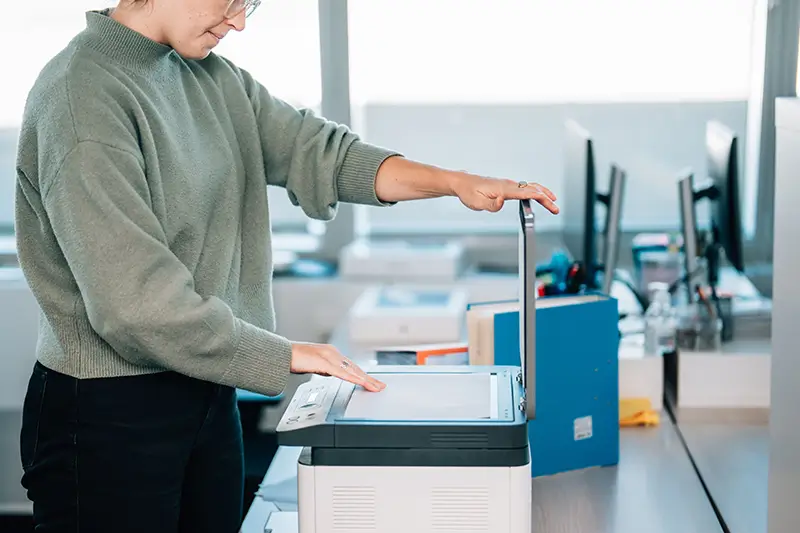
Scanning medical records is no longer just a back-office task —it’s a critical part of running a smart, efficient healthcare practice. Whether for daily operations or long-term data management, digitizing medical files ensures information is accurate, secure, and accessible when it’s needed most.
Efficient scanning processes also help practices comply with HIPAA regulations, reduce manual workload, and improve collaboration among care teams. With growing patient volumes and stricter compliance standards, healthcare providers rely on medical document scanning service providers to streamline large-scale digitization. This ensures clinical files are captured quickly and accurately while maintaining high standards of data security.
Key Benefits of Scanning Medical Records for Healthcare Practices
Converting paper-based medical files into a digital format creates a centralized, searchable database that brings every aspect of patient information into one secure system. This reduces the risk of misplaced files, incomplete charts, and documentation errors while making it easier for physicians, nurses, and administrative teams to access the same up-to-date data. Centralized medical records management supports faster clinical decisions, smoother coordination between departments, and better continuity of care.
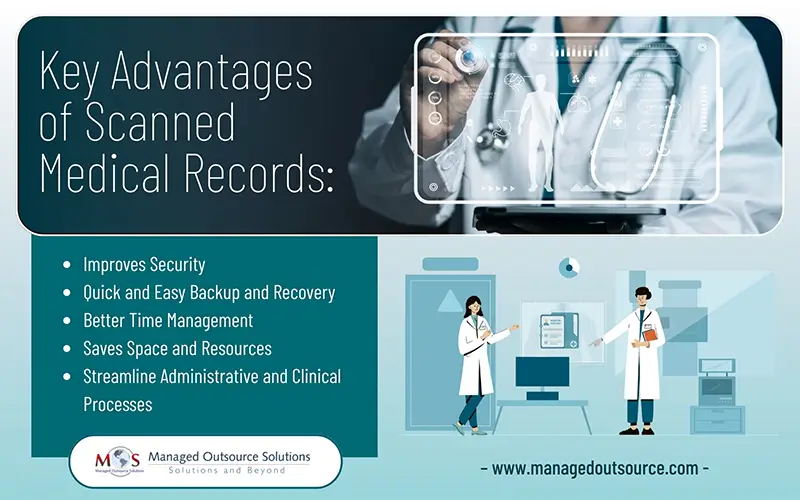
- Improves Security
HIPAA compliant document management significantly strengthens data security. Sensitive information such as medical histories, consent forms, insurance details, and billing records can be protected through access controls, encryption, and audit trails. They also reduce the risk of unauthorized access, lost files, and physical damage that paper records are vulnerable to.
- Quick and Easy Backup and Recovery
Digital medical files allow healthcare providers to maintain automatic backups that protect critical patient information from data loss. In the event of system failures, natural disasters, or physical damage to facilities, backup files can be quickly restored from secure remote servers. Unlike paper charts, which can be permanently destroyed, digitized records ensure continuity of care by keeping patient histories accessible even during unexpected disruptions.
- Better Time Management
With digitally stored medical documentation, care teams can retrieve patient information within seconds instead of looking through several piles of paper. This faster access reduces administrative delays, supports quicker clinical decisions, and allows providers to focus more time on patient care. Digital access also enables authorized staff to review records from clinics, offices, or mobile devices, improving workflow flexibility and responsiveness.
- Saves Space and Resources
Medical document archiving frees up valuable physical space that would otherwise be used for filing cabinets, storage rooms, and document handling. Eliminating large volumes of paper reduces supply costs, minimizes storage maintenance, and lowers the need for manual filing labor. Healthcare facilities can repurpose this space for clinical use, additional equipment, or expanded patient services, supporting more efficient facility planning.
- Streamline Administrative and Clinical Processes
Health information digitization supports faster retrieval, sharing, and submission of patient data across departments and connected healthcare systems. Faster documentation and electronic submission also contribute to quicker reimbursement cycles and smoother coordination between providers, payers, and care teams.
Best Practices for Scanning and Digitizing Healthcare Records
A well-defined scanning workflow is essential for protecting patient data, maintaining HIPAA compliance, and ensuring long-term usability of digital clinical files. The following best practices outline how healthcare organizations can prepare, scan, validate, and integrate records into their EHR systems effectively.
- Analyze and Define Your Scanning Scope: Start by identifying which documents must be digitized and how they will be used inside your EHR system. Separate active files, archival records, and compliance-required documentation. Define what information must remain searchable, what can be archived, and how each document type will support clinical, billing, and audit workflows.
- Build a Structured Inventory: Create a detailed inventory of all records scheduled for scanning. Organize charts by encounter type, department, or retention category. Assign dedicated staging areas for each group to prevent mix-ups and maintain proper chain-of-custody controls.
- Prepare Records for Clean Scanning: Remove staples, repair torn pages, flatten folded corners, and arrange documents in the correct sequence. Proper preparation reduces rescans, prevents missing pages, and ensures high-quality digital images.
- Use Production-Grade Scanning Tools: Deploy high-speed medical document scanners designed for clinical records. Configure scanning profiles based on document type and use color scanning where clinical detail is required. When supported, capture demographic data directly from patient IDs and apply digital signature tools to securely collect and store patient signatures.
- Apply Rigorous Quality Control: Review scanned files for completeness, clarity, and correct orientation. Match total digital page counts against original files and conduct audits before releasing records into active systems.
- Index for Fast Retrieval: Apply standardized medical document indexing fields such as patient name, date of birth, medical record number, encounter date, and document type. Consistent indexing ensures records remain searchable, sortable, and easily retrievable across platforms.
- Import and Validate in the EHR: Upload indexed files into your EHR or document management system. Verify that documents are mapped to the correct patient profiles, validate access permissions, and confirm system visibility before closing each batch.
How to Store, Organize and Manage Digitized Medical Records
Once records are scanned, how they are stored and organized determines how usable, secure, and compliant your system will be long term. Poor filing structures lead to slow retrieval, version conflicts, and audit risks. A structured digital documentation framework keeps patient data accessible, protected, and retention-ready.
- Use Centralized, Secure Storage
- Establish a Consistent Folder Architecture
- Separate Active and Archival Records
- Apply Retention and Destruction Policies
- Maintain Version Control and Audit Trails
- Plan for Scalable Data Growth
Digitized files should be stored in centralized, network-secured environments such as encrypted servers, cloud platforms, or enterprise document management systems. Avoid saving patient data on personal devices, local computer drives, or removable storage. Centralized storage ensures controlled access, proper backups, and compliance with HIPAA security standards.
Create a standardized folder hierarchy based on document type, department, year, or retention class. Consistent folder structures reduce search time, prevent duplication, and make onboarding new staff easier. Include creation or receipt year in folder naming to support retention scheduling and audits.
Differentiate between frequently accessed clinical records and long-term archival files. Active records should be optimized for fast retrieval, while archived records should be securely stored according to regulatory retention requirements. This separation improves system performance and simplifies compliance reporting.
Identify which documents must be retained long term and which qualify for scheduled destruction. Configure automated retention schedules within your document management system to flag records approaching their destruction dates. This prevents unnecessary data accumulation and reduces legal exposure.
Enable version tracking and audit logs to monitor who accessed, modified, or uploaded files. Version control prevents outdated or duplicate documents from being used in clinical decision-making and supports compliance audits.
Healthcare data volumes grow continuously. Build your digital filing structure with scalability in mind by planning for future expansion, storage upgrades, and evolving compliance requirements. This ensures your documentation system remains efficient as patient volumes increase.
Why Professional Medical Record Scanning Matters
Transitioning from paper charts to digital systems is complex, especially for practices managing high volumes of historical records. Errors during scanning, improper indexing, or insecure storage can lead to compliance risks, data loss, and workflow disruptions.
Professional medical document scanning services provide structured workflows, quality assurance checks, secure handling procedures, and HIPAA-aligned storage standards. This ensures every record is captured accurately, indexed correctly, and integrated smoothly into your EHR system.
Outsourcing scanning projects also reduces internal workload, shortens implementation timelines, and allows clinical staff to remain focused on patient care while digitization is completed efficiently and securely.