
This is where manual and AI-powered PDF to Excel conversion changes the equation. Instead of just converting files, it focuses on transforming raw document data into structured, analysis-ready spreadsheets. With AI-powered PDF to Excel conversion, complex tables, multi-line entries, and irregular formats are intelligently interpreted, not just copied.
At Managed Outsource Solutions (MOS), PDF to Excel conversion is approached as a data transformation service rather than a simple format shift. As part of advanced PDF conversion services, MOS delivers precise document PDF to Excel services that enable businesses to move faster from raw data to insights.
See how clean, analysis-ready data should look.
Contact Us @ (800) 670-2809
Get a Free Trial Now!
What Is AI-powered PDF to Excel conversion?
With advanced PDF data extraction services, data is not just pulled, it is organized logically into rows, columns, and usable datasets. This is powered by automated data extraction from PDF, which understands relationships between data points rather than treating them as isolated text blocks.
What this enables:
- Clean datasets ready for reporting and analytics
- Accurate handling of multi-line and nested table data
- Consistent structuring across large document batches
- Reduced need for post-conversion cleanup
AI-powered PDF to Excel Conversion Process
1
Input & Data Assessment
Documents are analyzed for structure, complexity, and data type.
2
Context-aware AI Processing
AI identifies relationships between fields, not just layout.
3
Structured Data Mapping
Data is aligned into meaningful Excel columns and formats.
4
Exception Handling
Irregular formats and edge cases are flagged and corrected.
5
Data Validation Layer
Outputs are checked for logical consistency and completeness.
6
Delivery in Usable Format
Final Excel files are optimized for analysis and integration.
Transparent Pricing
We prioritize transparent pricing for our Excel conversion services, with no hidden fees. Our competitively priced services can save 30-40% on your operating costs!
Who Benefits Most from This Approach?
Ideal for:
- Finance teams working with reports and reconciliations
- Analysts handling large datasets from PDFs
- Operations teams managing transactional records
- Healthcare and legal sectors dealing with structured data
- Enterprises modernizing legacy data systems
What Makes This Different from Typical Conversion
Most services focus on “conversion speed.” This approach focuses on data usability after conversion.
Key differentiators:
- Data-first approach instead of format-first conversion
- High accuracy in complex table reconstruction
- Consistent output across high-volume datasets
- Minimal manual cleanup required post-conversion
Designed for downstream analytics and reporting
AI + Human Intelligence: Precision Where It Matters
This model combines intelligent automation with expert validation to ensure that the output is not just fast, but reliable.
- AI handles bulk extraction and pattern recognition
- Experts resolve ambiguities and edge cases
- Better accuracy in financial and compliance data
- Reduced risk of data misinterpretation
Where This Delivers Real Impact
The value of conversion shows up in how the data is used.
Common applications:
- Financial reporting and reconciliation
- Invoice and billing data extraction
- Research data preparation
- Audit and compliance documentation
- Data migration from legacy archives
When data is locked in PDFs, it slows down decisions and limits visibility. With PDF to Excel conversion designed around data accuracy and usability, businesses can move from static documents to actionable insights faster.
Managed Outsource Solutions delivers a smarter approach, combining intelligent processing with expert oversight to ensure your data is not just converted, but truly usable.
Still spending hours cleaning up Excel files after conversion? Let’s fix that.
FAQs
How is your approach different from basic PDF conversion?
Can complex financial tables be accurately converted?
How does this reduce manual cleanup?
Is this suitable for large-scale data projects?
Can inconsistent PDF formats be handled?
How accurate is the data after conversion?
Can the output be used directly for analytics?
What types of PDFs work best?
What our Customers Say
Recent Posts
Ensuring Data Security and Confidentiality in Legal Document Scanning
Legal documents contain highly sensitive client information, case details, and privileged communications. As law firms...
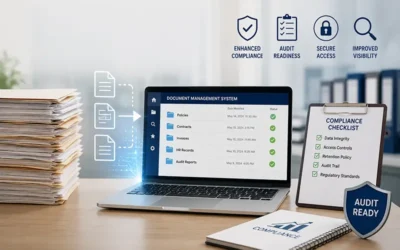
How Document Digitization Improves Compliance and Audit Readiness
Regulatory demands and compliance pressures are rising rapidly across industries, driven by cybersecurity concerns, consumer...

Overcoming Common Challenges in Legal Document Scanning
In today’s legal environment, law firms and legal departments manage large volumes of documents such as contracts, case files,...